
When an order fails you will receive an email notification. To avoid an end-of-day variance, you will need to complete one of the following actions:
- Process a refund in the MondoMenu portal if the client no longer wants their order, or
- If the order was fulfilled, manually enter the transaction in the POS using MondoConneX/MondoMenu as the tender media.
Once you have completed the above, you can close out the order in MondoMenu. To close an order:
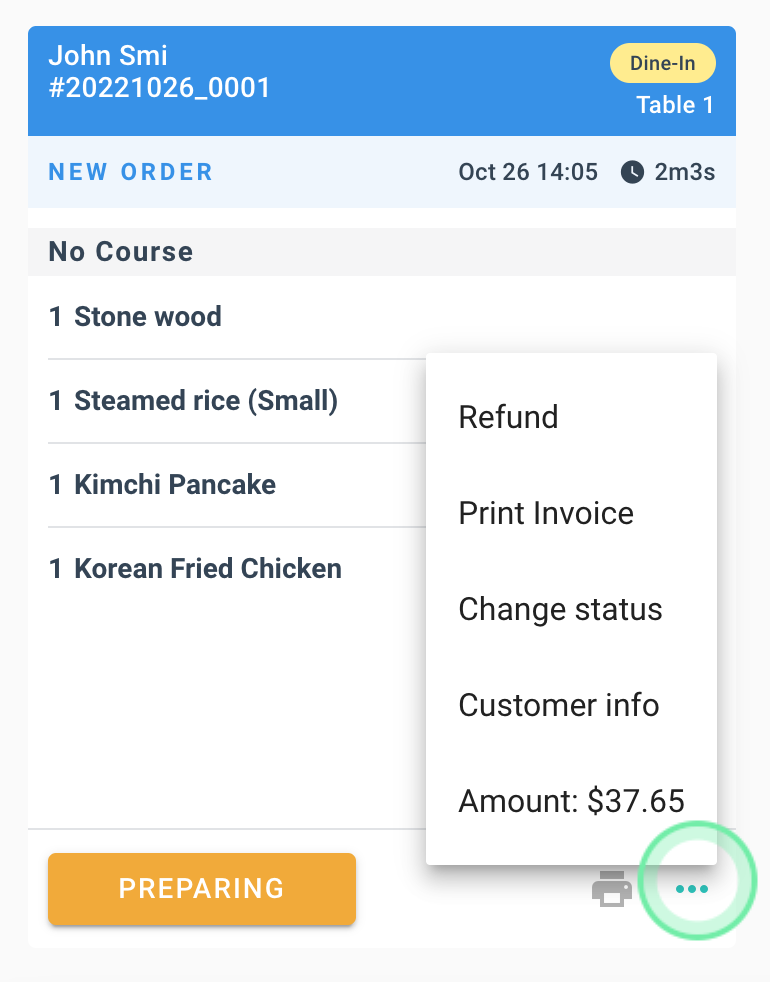
- Click the 3 dots at the bottom of the order to bring up the options box
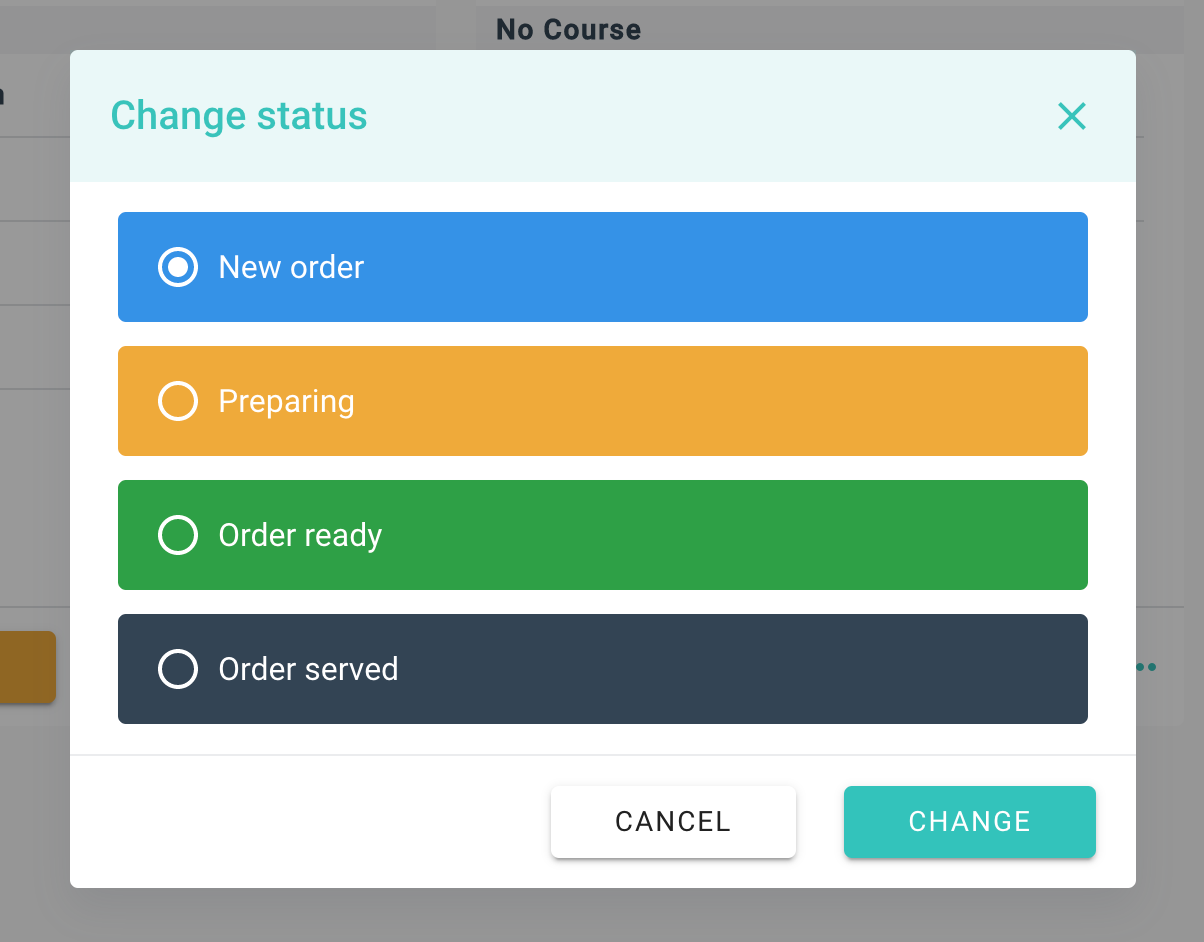
- Select Change status
- Change status to Order Served.
If you need further support you can contact us at support@mondoconnex.com.