
Kiosk Slideshow — Getting Started
What It Does
The Kiosk Slideshow lets you display rotating images and videos on your kiosk start screen.
Most venues use this to:
- Promote high-margin items (drinks, combos, desserts)
- Highlight offers or time-based promos
- Create a more engaging ordering experience
What This Looks Like
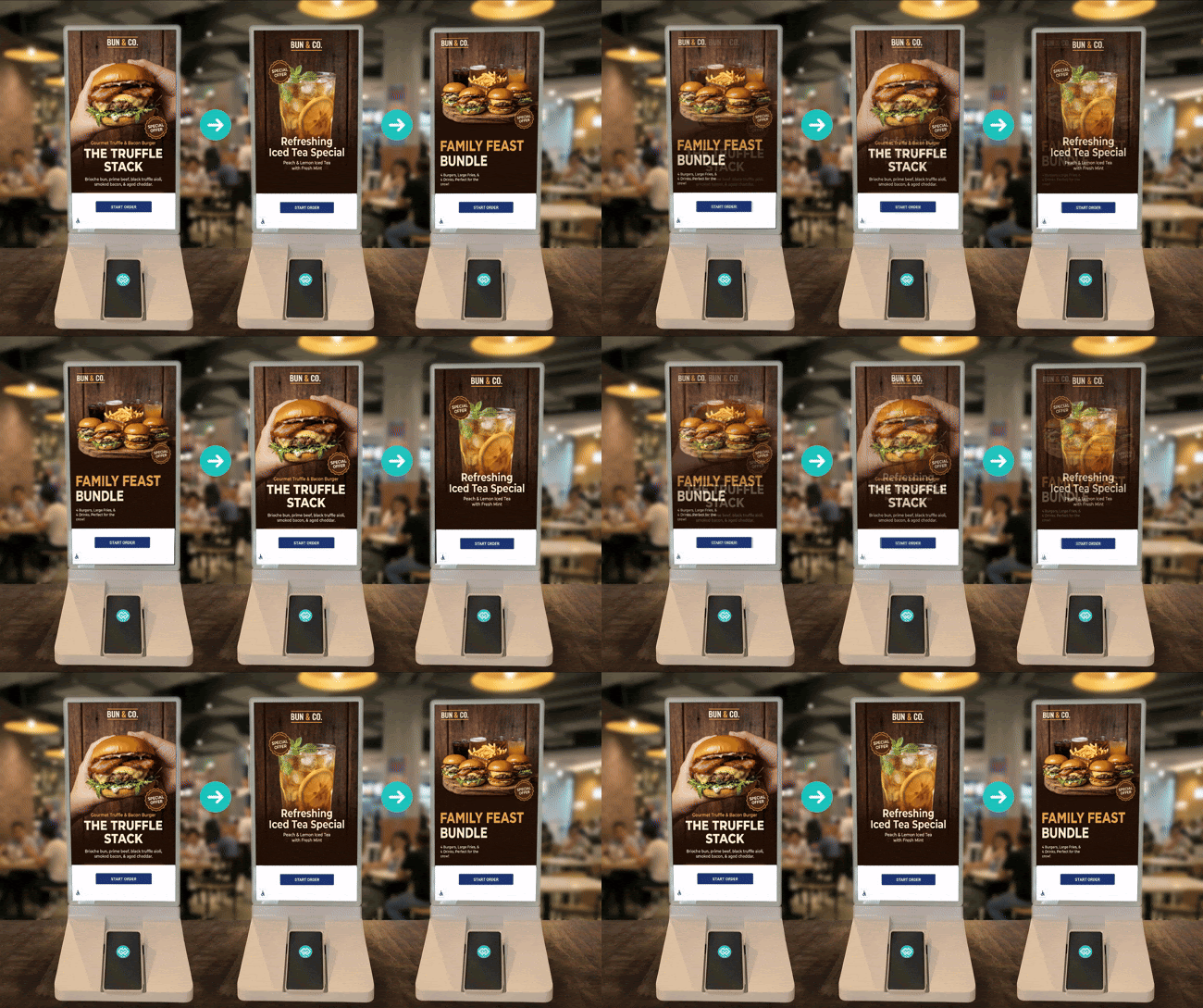
Customers will see a rotating set of visuals before they start ordering.
Step 1 — Open Kiosk Settings
Go to your venue settings and open Kiosk Settings.
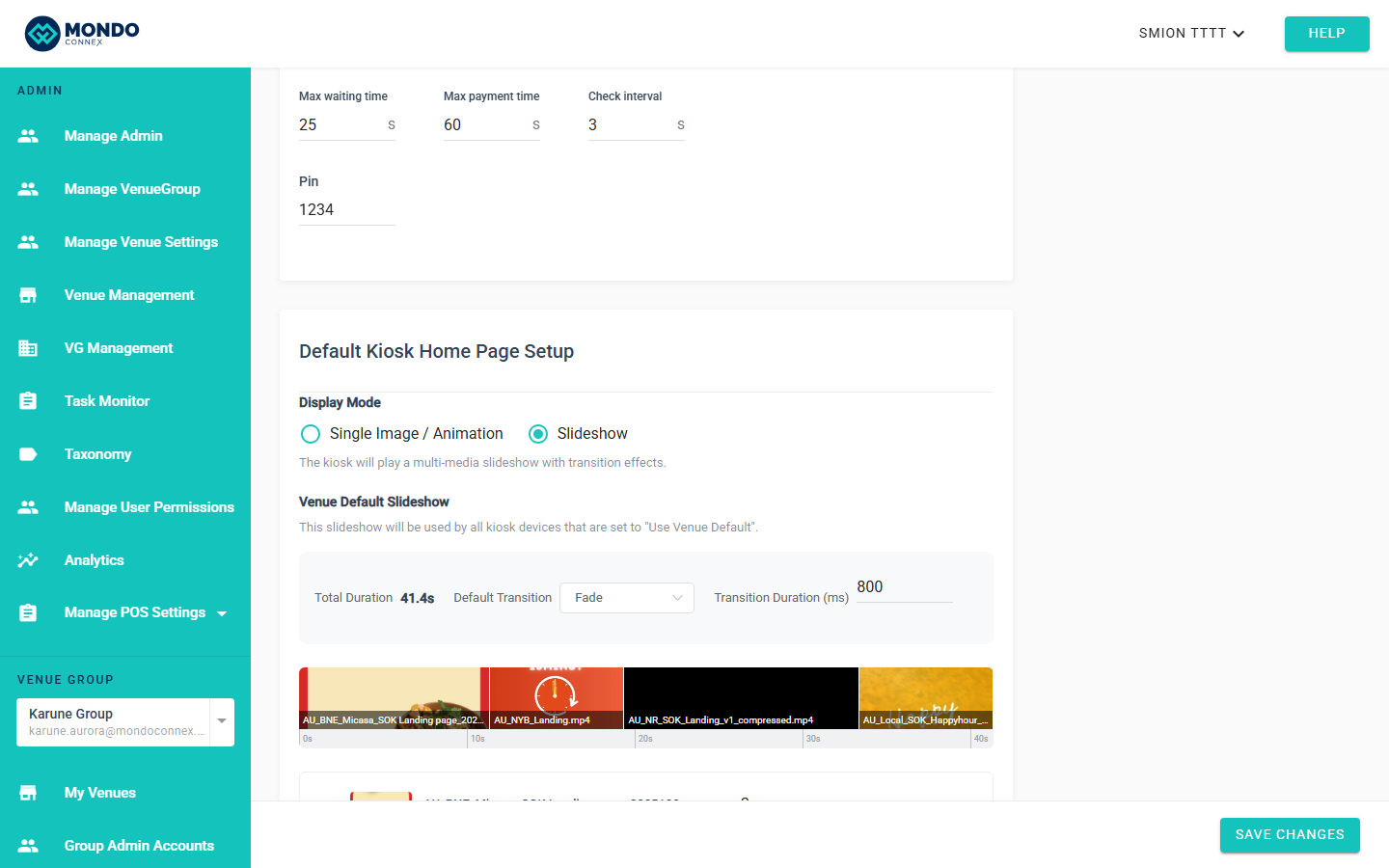
Step 2 — Turn on Slideshow Mode
Scroll to Default Kiosk Home Page Setup and select:
Slideshow
Step 3 — Add Media
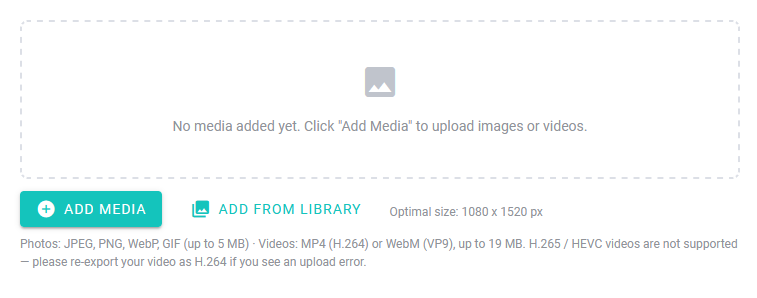
Click ADD MEDIA
You can:
- Upload new images/videos
- Or reuse existing ones from your library
Step 4 — Upload or Select Content
You’ll see two options:
- Upload → add new files
- Add from Library → reuse existing media
? Tip: Reuse existing assets across campaigns without re-uploading.
Step 5 — Arrange Your Slides
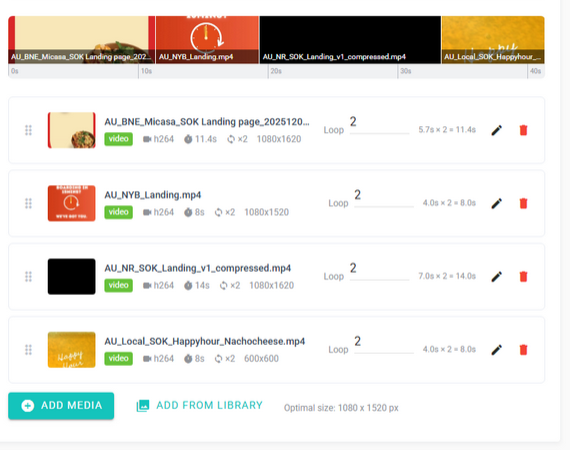
Once added, your content appears in a timeline.
You can:
- Drag items left/right to reorder
- Mix images and videos
- Control how long each item plays
Step 6 — Adjust Timing (Optional)
- Images → set display duration
- Videos → set loop count
The system automatically adjusts timing when you make changes.
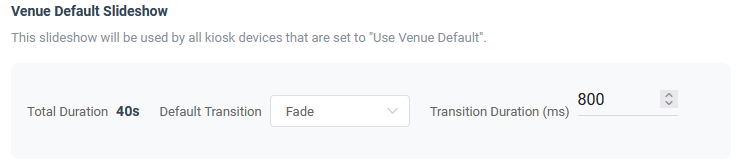
? No need to manually calculate timing.
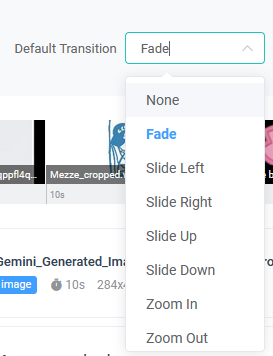
Step 7 — Choose Transitions
Select how slides move between each other (e.g. fade).
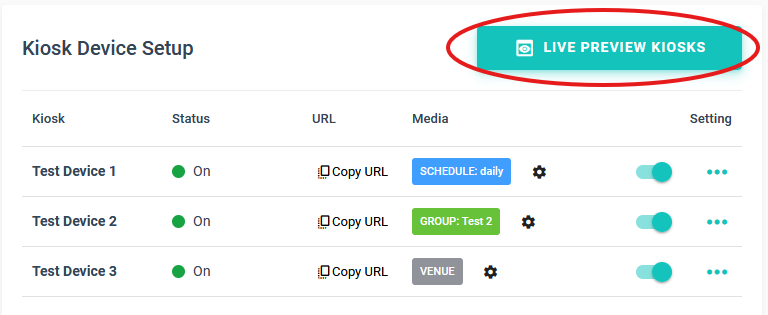
Step 8 — Preview Your Slideshow
Use Live Preview to see exactly what customers will see.
Step 9 — Save
Click Save Changes to apply.
Optional — Use Media Library (Recommended)
Your media is stored centrally and can be reused anytime.
- Upload once, use across multiple kiosks
- Safely delete with usage checks
- No impact on performance
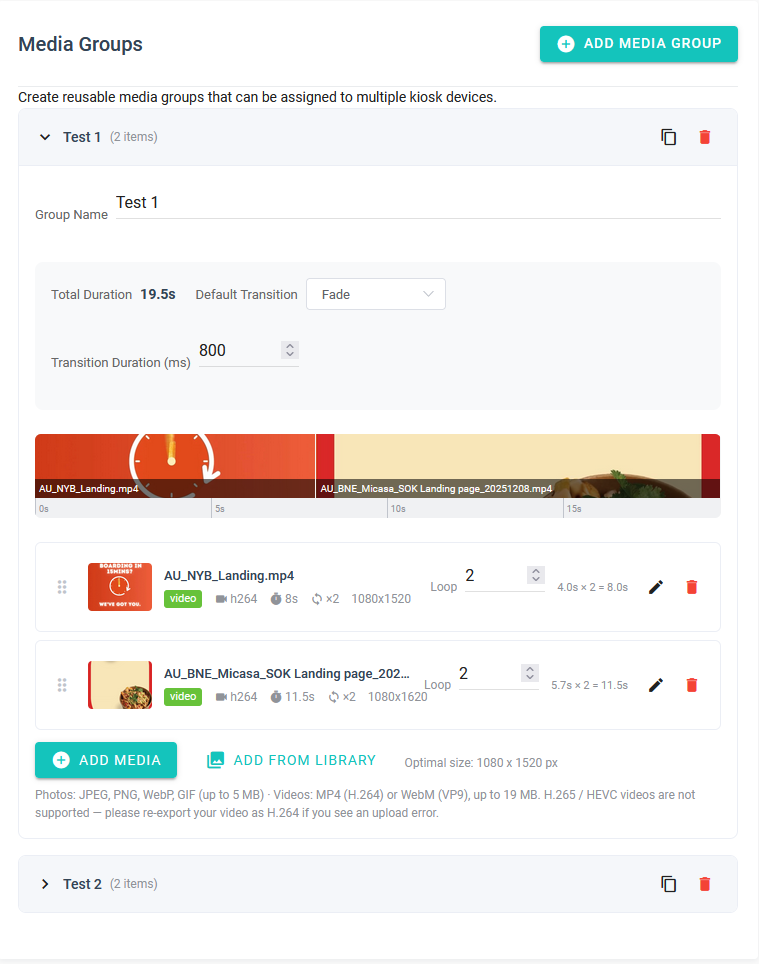
Optional — Create Media Groups (Advanced)
Use Media Groups to show different content on different kiosks.
Example:
- Breakfast menu on one kiosk
- Drinks promos on another
Best Practice
- Lead with high-margin items (drinks, combos)
- Keep total loop under 30–45 seconds
- Use clear, simple visuals over text-heavy slides
- Refresh content regularly
Common Mistakes
- Too many slides → slows impact
- Low-quality images → reduces conversion
- No clear product focus → wasted space
Reality Check
This is not just branding.
Used properly, this directly drives:
- Incremental drink sales
- Upsell before ordering even starts
- Better utilisation of kiosk traffic