
Overview
The Venue Media Library is a persistent, venue-level storage space for all images and videos uploaded for your kiosk. Files stay in the library until you explicitly delete them — even if removed from a slideshow.
- Reuse across slideshows, media groups, and devices without re-uploading.
- Browse your full upload history via Add from Library.
- Safe-delete: usage check lists every location the file is used before allowing deletion.
Role Differences
All admins see the same picker UI — venue scope differs by role.
Step-by-Step Instructions
Step 1 — Open Slideshow Editor
Venue Settings → Kiosk → Slideshow mode. Click ADD MEDIA to open the picker.
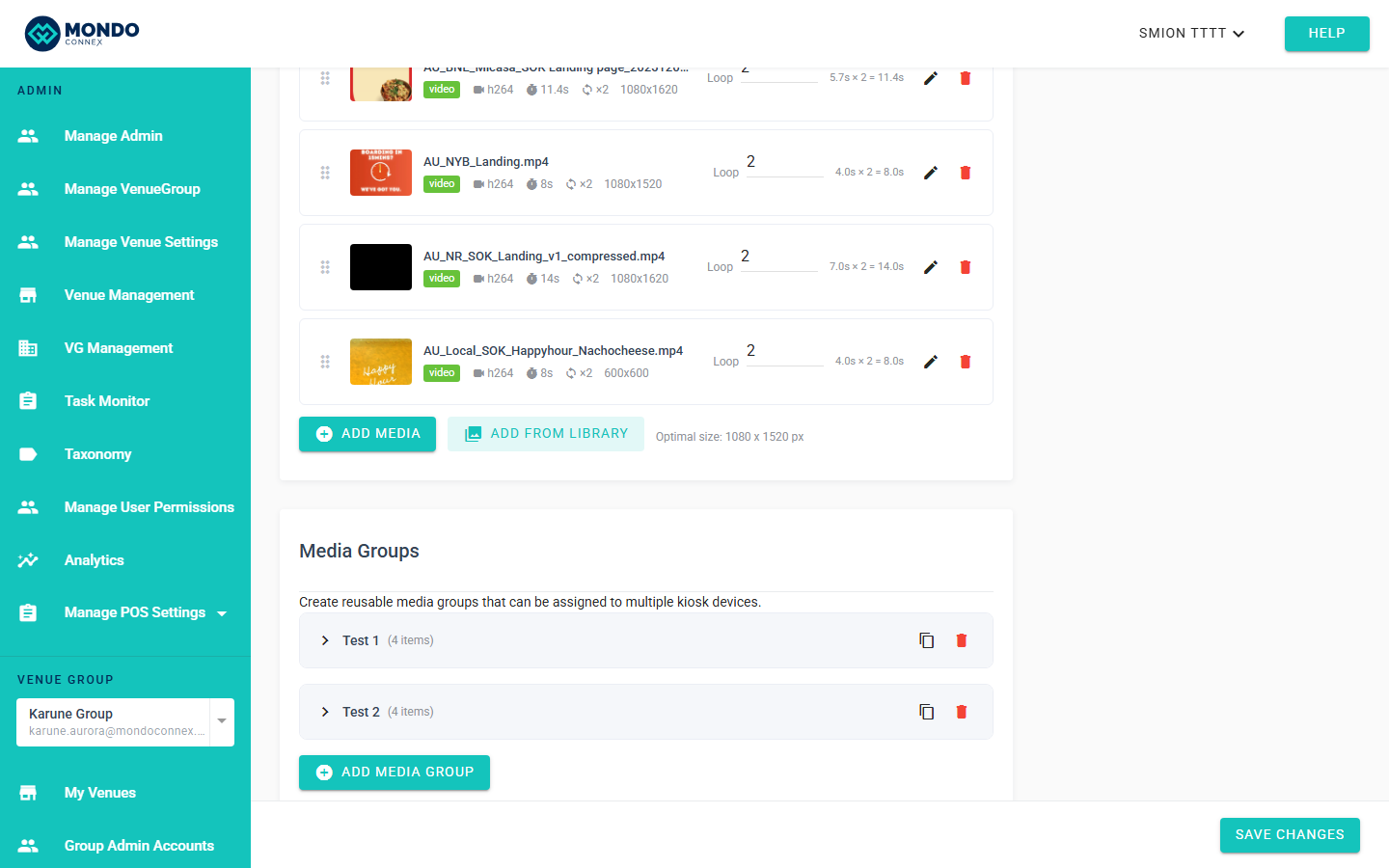
Step 2 — Open Media Library Picker
Click Add from Library. Grid of thumbnails with file name, type badge (image/video), and dimensions.
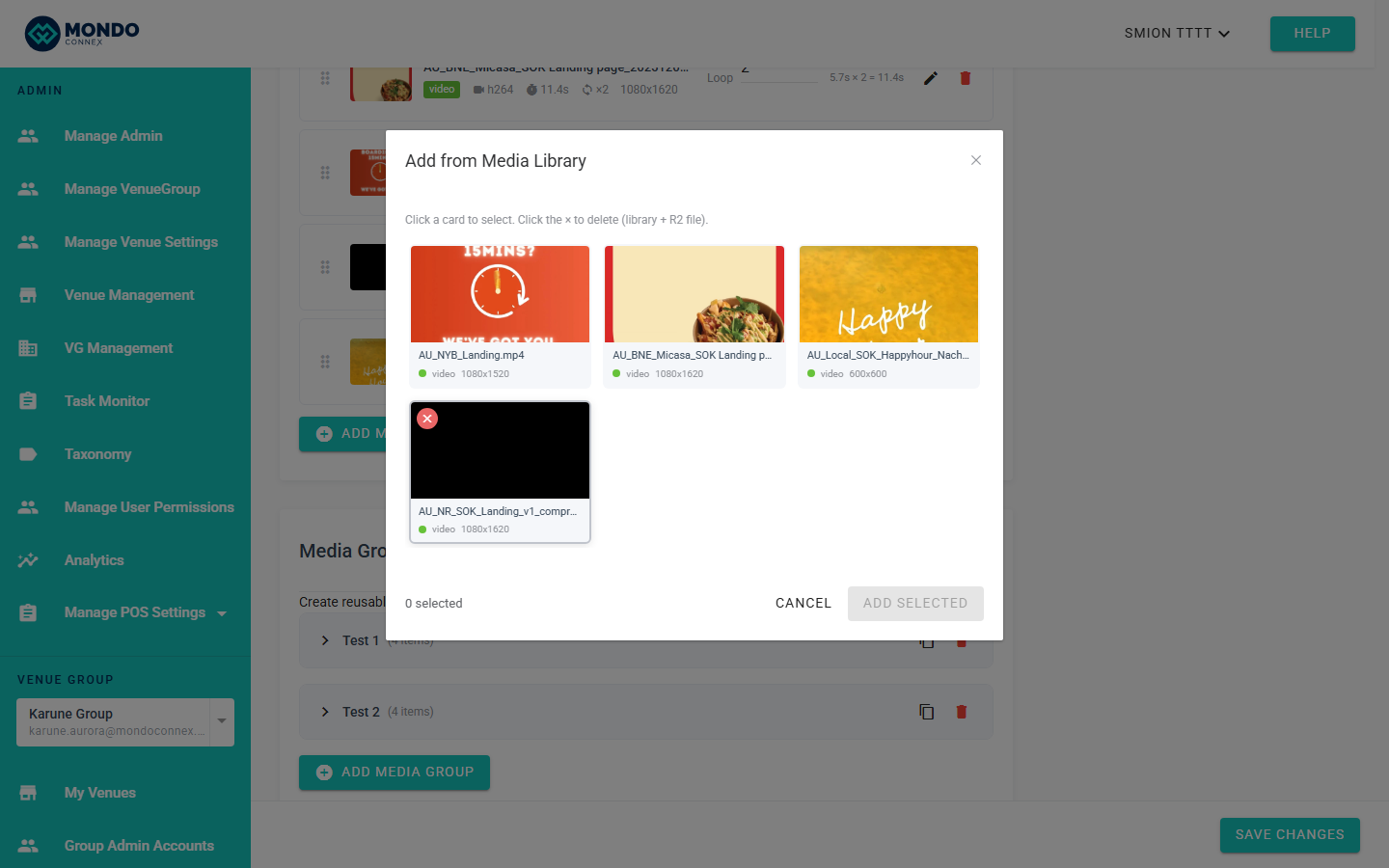
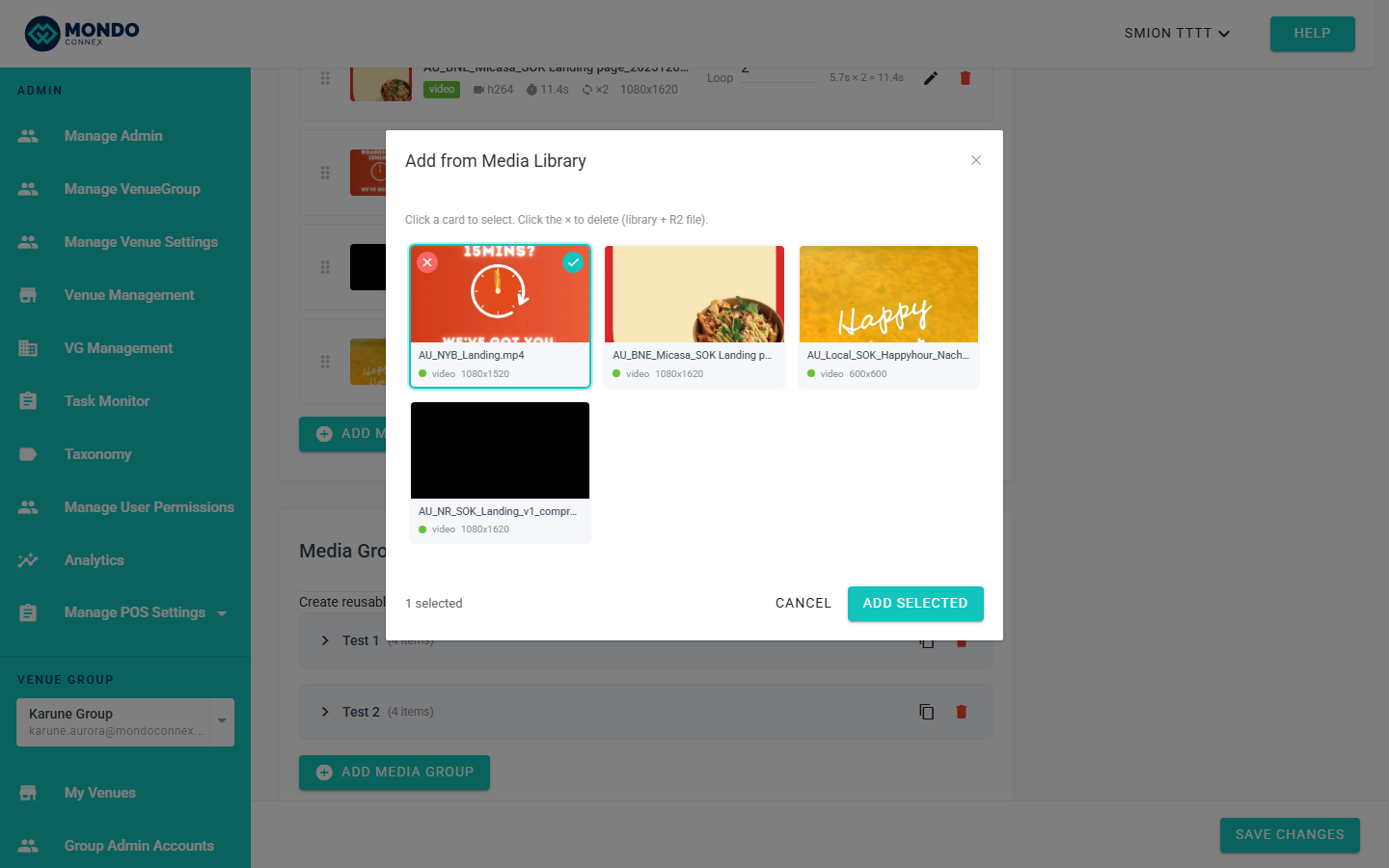
Step 3 — Select Files to Add
Click a thumbnail to select. Selected cards highlight. Click ADD SELECTED to add them to the slideshow. You can select multiple in one pass. Already-in-use files may be flagged; adding a file multiple times is allowed.
Step 4 — Upload New Media (auto-added to library)
Click Upload (in editor or picker).
- Images → crop dialog (1080×1520): Cancel / Use Original / Crop & Upload
- Videos → upload directly (max 19 MB)
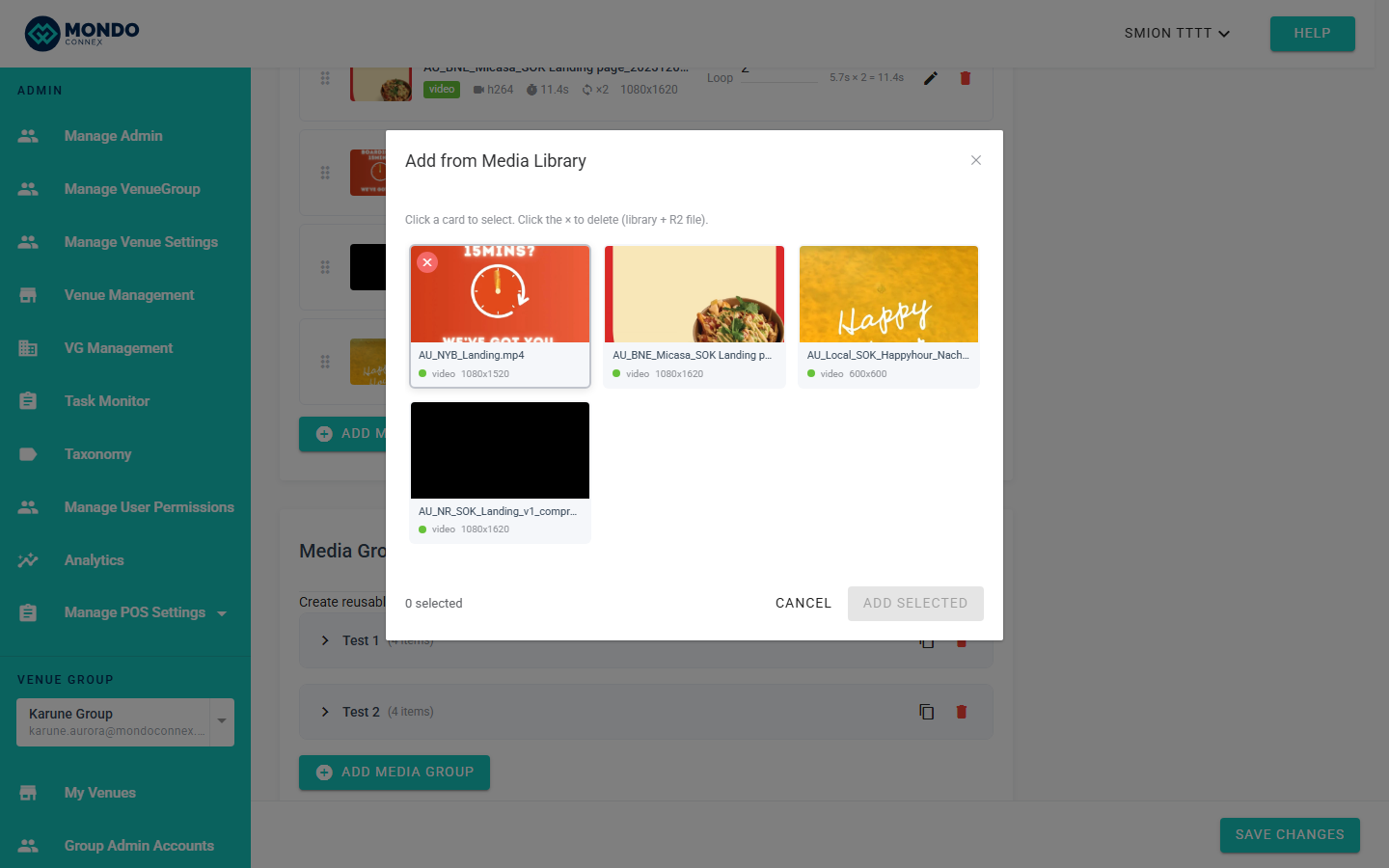
Step 5 — Delete Unused Media
Hover a thumbnail → × delete button appears top-left. Click to delete. The system runs a usage check first; if the file is in use, you see a
usedIn list:
Cannot delete — file is currently in use:
• Venue Default Slideshow
• Media Group: Summer Promo
• Device: Kiosk-1
Step 6 — Save Slideshow
Click Save on Kiosk Settings page.
Tips
- Tags: kiosk-uploaded files auto-tagged
"kiosk". Future tags: menu, promo, etc. - File size limits: images 5 MB, videos 19 MB.
- Naming: use descriptive names (
summer-promo-v2.mp4). - Performance: library loads on demand; no impact on normal page load.
FAQ
Remove item from slideshow — file deleted? No. Still in library.
Restore deleted file? No. Re-upload.
Library affects page speed? No — separate on-demand request.
File used by multiple slideshows? Usage check lists all locations.
Same file in group + device? Yes — references, not duplicates.