
Overview
In v2026.04 the Kiosk Settings page has been reorganised:
- Former standalone "Kiosk start page" card → removed, its fields merged into Kiosk Device Setup
- "Kiosk Start Page Content" card → renamed Default Kiosk Home Page Setup
- Live Preview button → top-right of Kiosk Device Setup card header (pill)
Nothing has been deleted — just reorganised.
Role Differences
All roles see the same layout; only navigation path differs (per Guide 01 / 04).
What Moved Where
Walkthrough
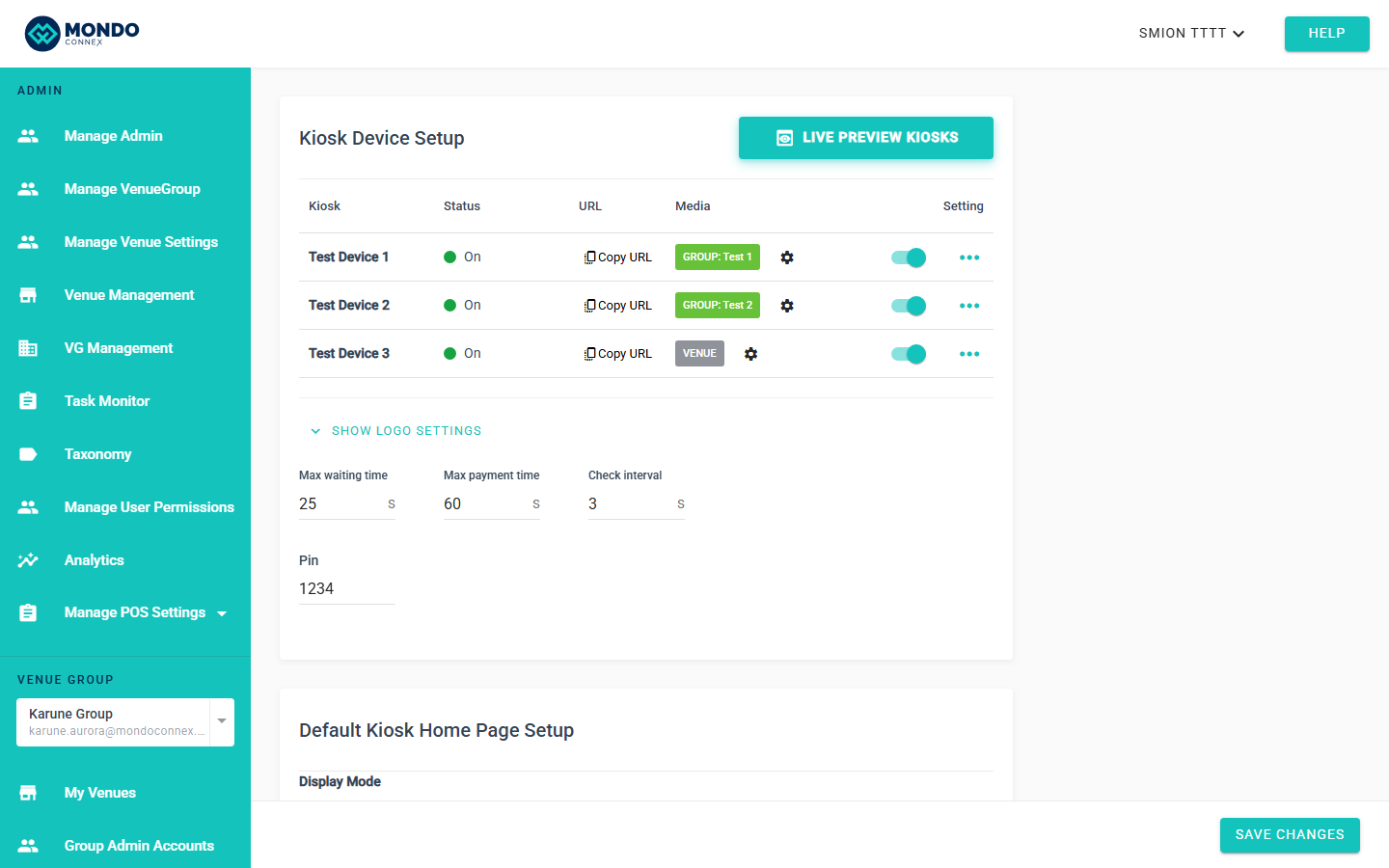
Step 1 — Top card: Kiosk Device Setup
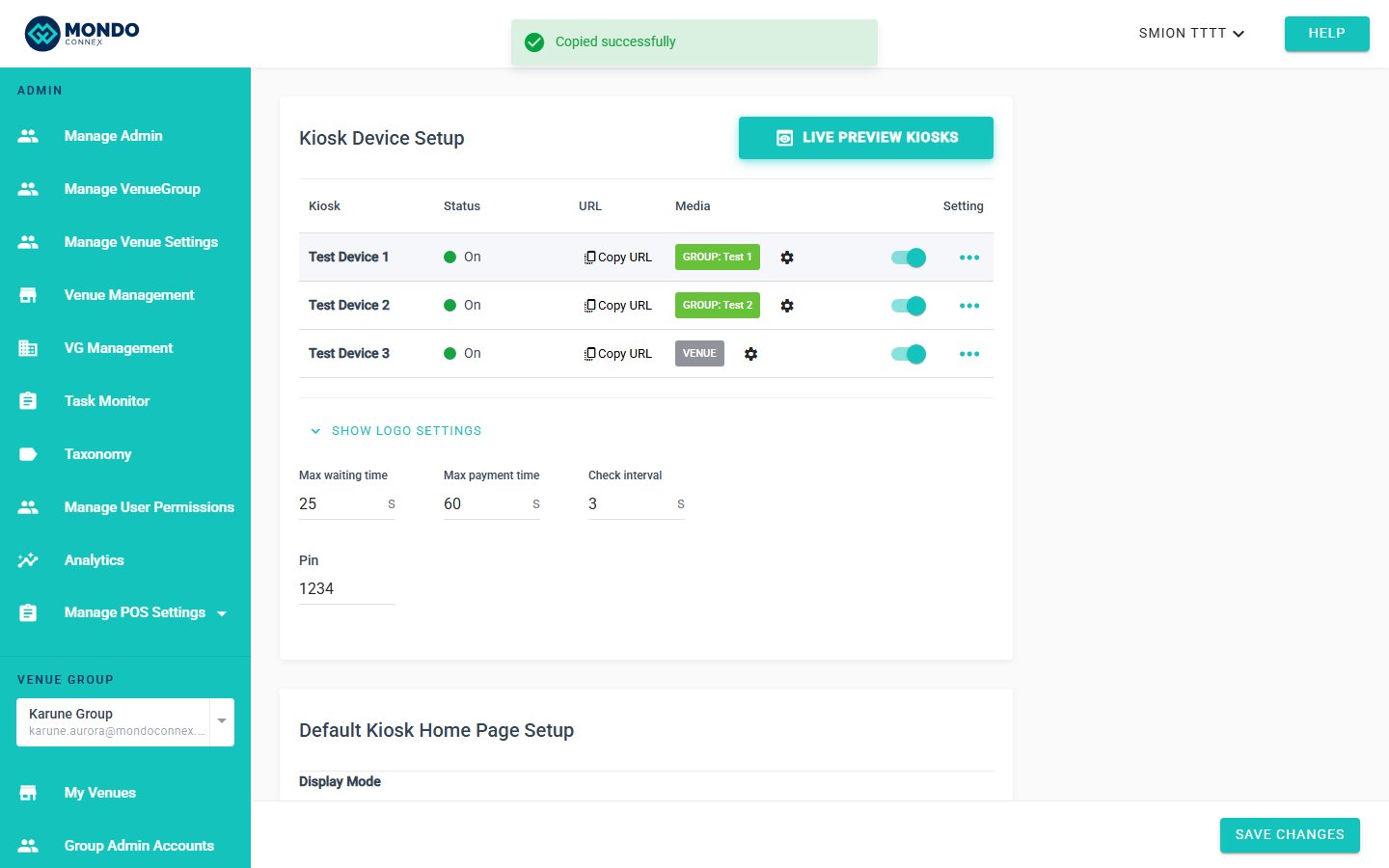
First card now titled Kiosk Device Setup. Device table at top. Media column widened (200 px) showing VENUE DEFAULT or GROUP: [name].
Step 2 — Show / Hide Logo Settings
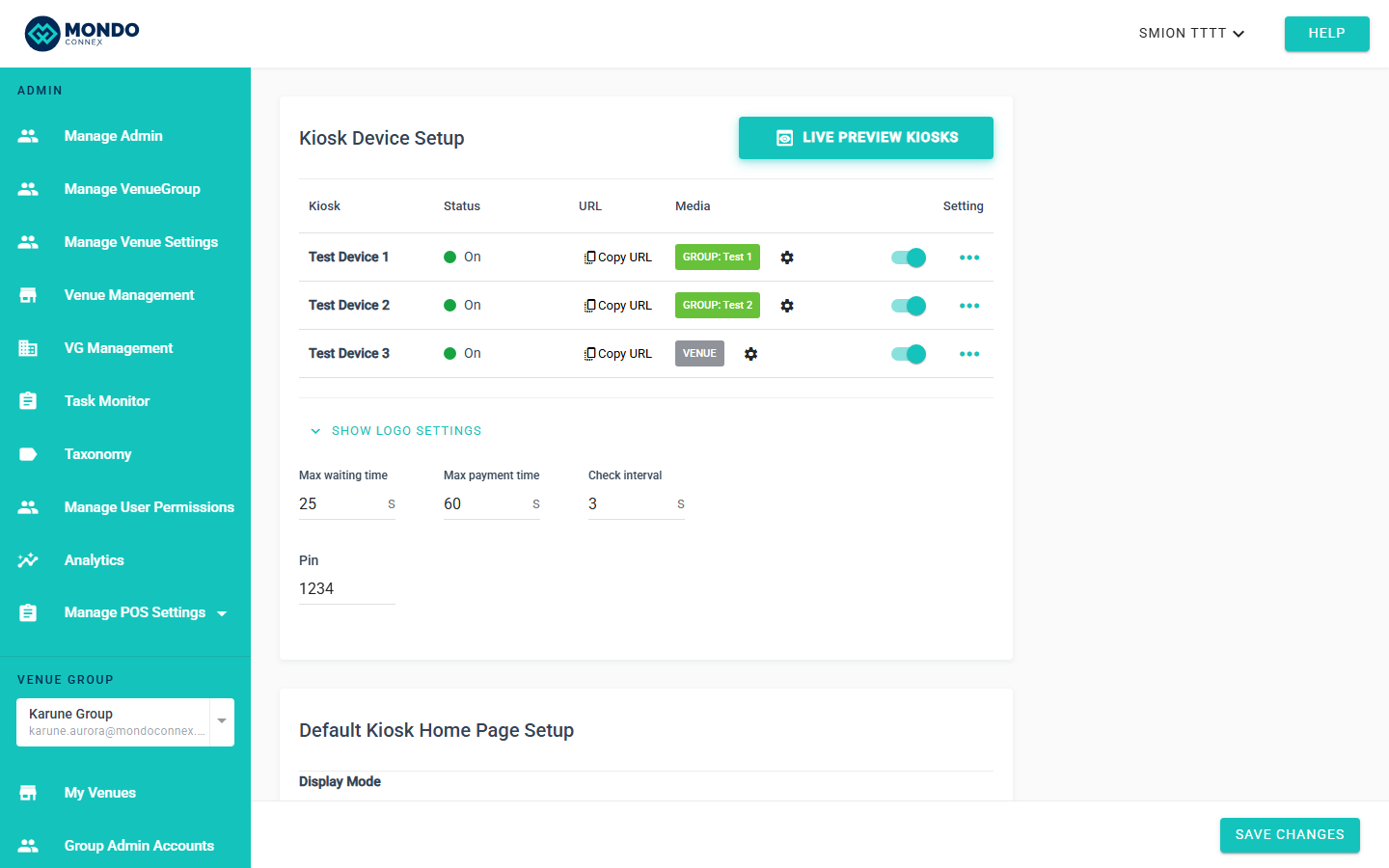
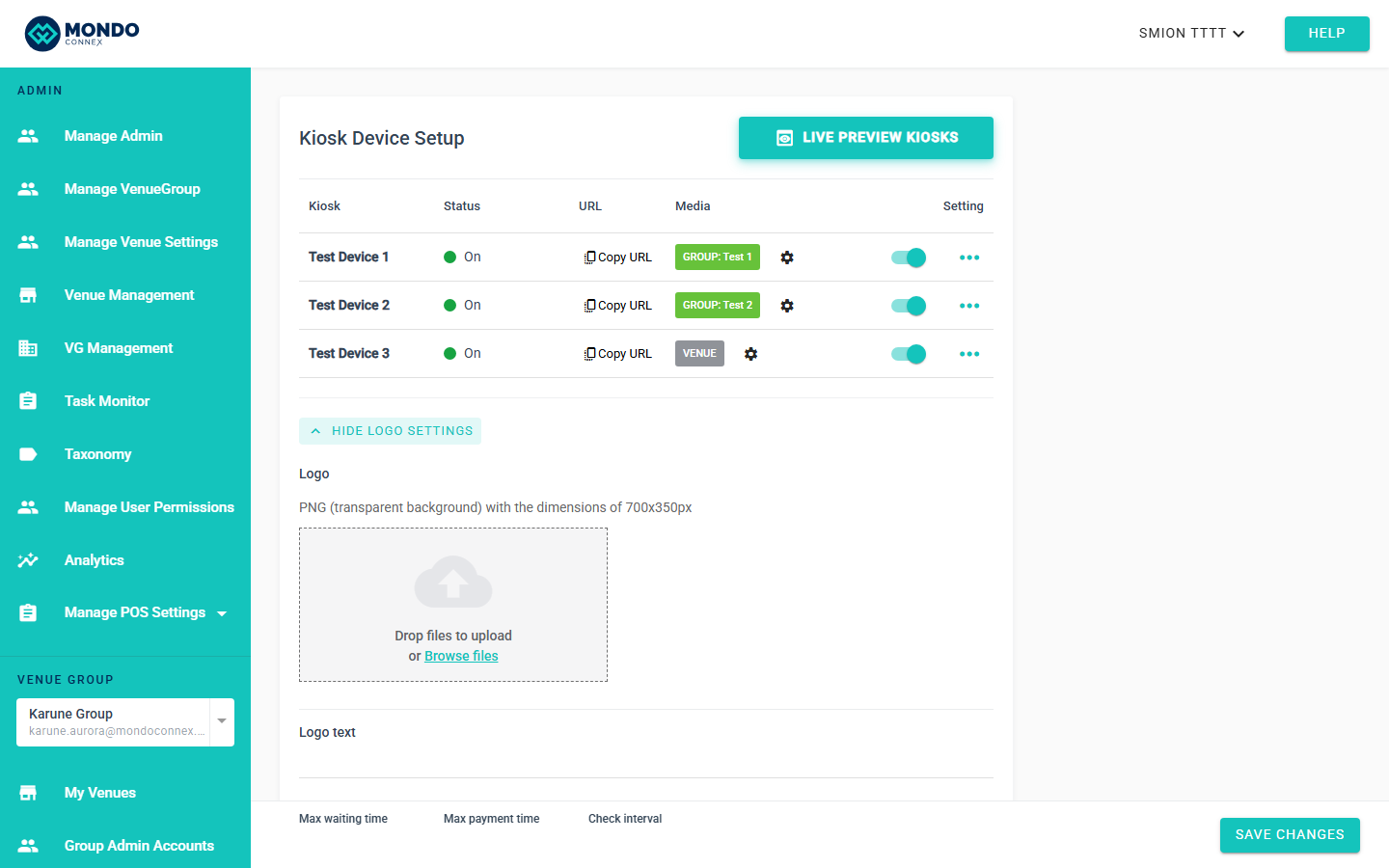
Below the device table sits a divider and start-page fields. Logo and Logo Text are hidden behind a Show Logo Settingstoggle.
Click to expand:
Step 3 — Live Preview button (card header close-up)
Pill-shaped button, top-right of the card title row. Visible only when Slideshow is ON and at least one device is registered.

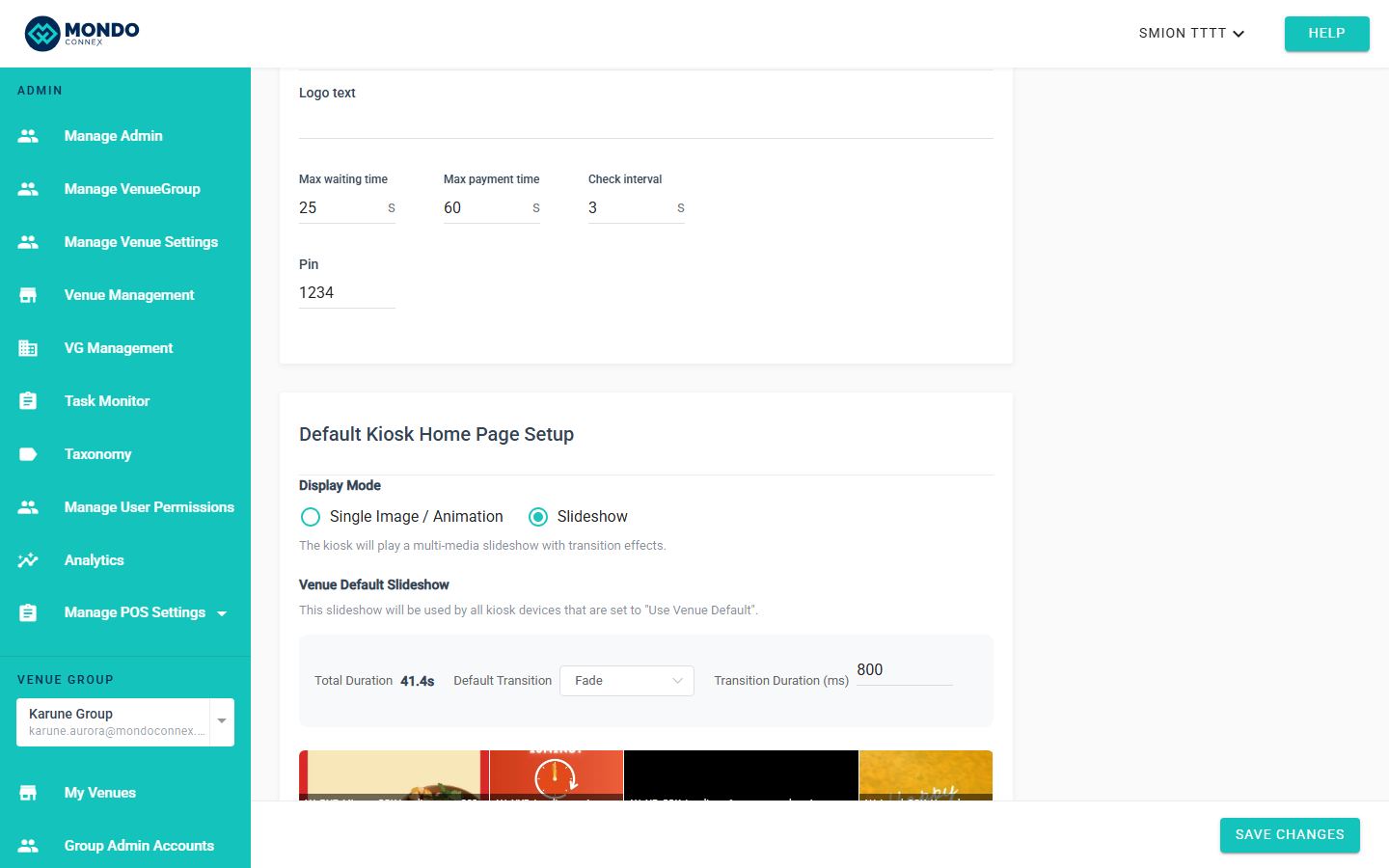
Step 4 — Default Kiosk Home Page Setup
Second card, renamed from "Kiosk Start Page Content". Holds the content-mode radio and the active-mode editor.
Step 5 — Device Media Settings (no more "Custom")
Click the ⚙ icon on a device row. Dialog offers two options: Use Venue Default or Use Media Group. Custom has been removed — use Media Groups for unique per-device content.
Step 6 — Full device table overview
Overview of the top card with 3 devices, distinct GROUP: Test 1, GROUP: Test 2, and VENUE badges in the Media column, alongside settings gears and the new LIVE PREVIEW KIOSKS button.
Tips
- Logo Settings collapse per session — click Show Logo Settings when needed.
- Live Preview in card header, not page body.
- Legacy Custom slideshows still play. Next edit forces pick Venue Default or Group.
- Media column tooltip on hover for full group name.
FAQ
Where did Kiosk Start Page card go? Merged into Kiosk Device Setup.
Why is the Loop switch gone? Slideshows always loop. Data preserved; UI simplified.
Why no Live Preview button? Slideshow ON + at least one device required.
What about Custom slideshow? Plays as-is. Next edit requires Venue Default or Group.